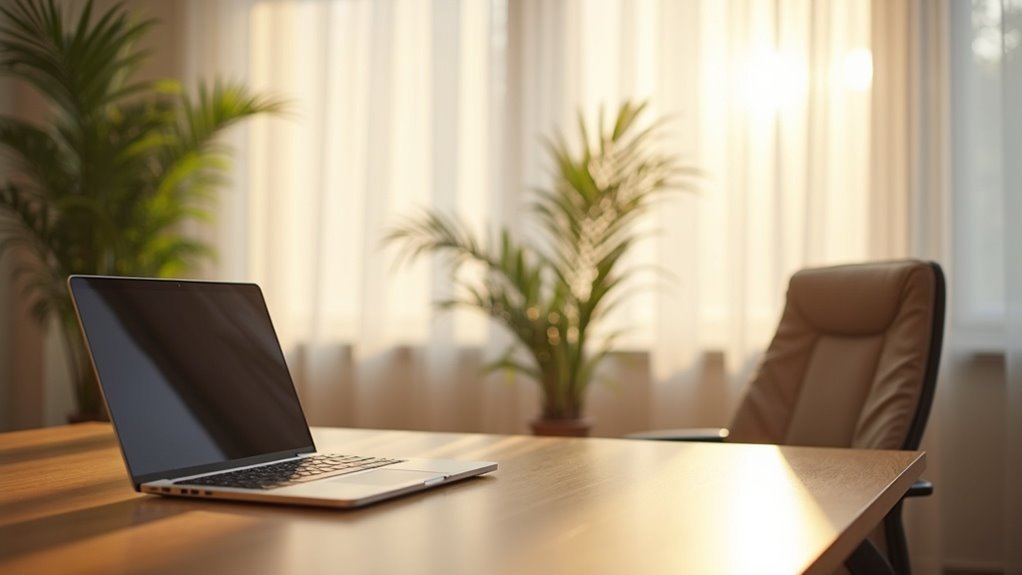
To reduce glare on screens while training at home, position your monitor away from direct light and angle it slightly downward to enhance visibility. Utilize anti-glare screen protectors to minimize reflections, and adjust your screen’s brightness and contrast according to the lighting in your workout space. Control ambient light with softer LEDs or blackout curtains to create a comfortable environment that promotes focus during your training sessions. By making these adjustments, you’ll improve both visibility and concentration, allowing you to get the most out of your home workouts. Discover more techniques and tips to optimize your exercise setup for a healthier lifestyle.
Key Takeaways
- Position your screen away from direct light sources and angle it slightly downward to minimize reflections and glare while following workout videos or tracking your progress.
- Consider using anti-glare screen protectors which can reduce glare by up to 85%, allowing for a more comfortable viewing experience during your home workouts.
- Adjust the ambient lighting in your workout space with softer-toned LEDs and use curtains or blinds to control natural light, helping to reduce any glare effects on your screen.
- Regularly adjust the screen brightness and contrast according to the surrounding light conditions to ensure optimal visibility while exercising at home.
- Make sure your screen is at eye level and at least an arm’s length away to maintain comfort and minimize glare during your training sessions.
Understanding the Causes of Glare on Screens
Glare on screens can be a frustrating obstacle, especially when you’re trying to focus on your home workouts or fitness goals. It primarily arises from bright light sources, like direct sunlight or overhead lights, reflecting off the screen surface.
Glossy finishes on electronic displays can enhance this issue due to their high light reflection. Additionally, improper screen positioning—such as facing windows or bright light sources—can greatly increase glare.
Nearby reflective surfaces, like walls and furniture, also contribute to the problem by bouncing light onto your screen. Understanding these causes is essential for effectively reducing glare, allowing you to create a more comfortable and focused environment for your home exercise routines.
Effective Techniques for Reducing Glare
To effectively reduce glare on your home gym screens, start by positioning your monitor away from direct light sources and adjusting its angle slightly downward.
Consider using anti-glare screen protectors, which can reduce glare by up to 85%, enhancing your visibility and comfort during workouts.
Using anti-glare screen protectors can significantly enhance visibility, reducing glare by up to 85% for a more comfortable workout experience.
Control ambient light by opting for softer-toned LED lights and task lamps instead of harsh overhead lighting, creating a more inviting exercise environment.
Implement light control measures, such as closing curtains or using blinds, to block excess natural light that can be distracting while you focus on your fitness routine.
Finally, regularly adjust your screen’s brightness and contrast settings based on changing light conditions to maintain ideal visibility and reduce eye strain during your home workouts.
The Importance of Screen Positioning
Proper screen positioning is essential for minimizing glare and enhancing your workout experience when using home gym equipment.
Angle your monitor slightly downward and keep it at eye level to reduce reflections from light sources, ensuring you can easily follow exercise videos or instructions.
Additionally, make sure your screen is at least an arm’s length away to optimize distance and visibility while you focus on your fitness routine.
Optimal Monitor Angle
When you set up your workout space at home, positioning your monitor at eye level is key for maintaining a neutral neck posture during exercise demonstrations.
This setup not only enhances your viewing experience but also helps to reduce glare from overhead lights or windows. For optimal visibility, tilt the screen slightly downward, which can also minimize reflections that could distract you during workouts.
Ensure your monitor is at least an arm’s length away to provide a comfortable viewing distance, while avoiding direct alignment with windows to eliminate harsh reflections that could disrupt your focus.
Regularly adjust the screen angle based on changes in ambient light to maintain the best visibility during your training sessions, helping you stay engaged and motivated throughout your home workouts.
Distance From Light Sources
Maintaining an ideal distance from light sources is essential for reducing glare on your screen and enhancing visibility during your home workouts.
Position your screen at least an arm’s length away from direct light sources, such as windows or overhead lights, to effectively minimize screen glare.
Tilt the monitor slightly downward to reduce reflections from ambient light.
Ensure your screen is placed away from reflective surfaces that can create additional glare, which may disrupt your focus.
Verify that the monitor height aligns with your eye level to prevent strain and glare while you’re exercising.
Regularly assess and adjust your screen positioning based on changing lighting conditions to achieve maximum visibility and maintain your motivation during workouts at home.
Utilizing Anti-Glare Solutions
To enhance your workout experience and reduce eye strain while using screens for training sessions at home, consider utilizing anti-glare solutions. These products can lower glare by 25% to 85%, significantly improving visibility in brightly lit environments. Anti-glare screen protectors provide a matte finish that diffuses reflective light, making it easier to view workout videos and track your progress. Many options are simple to install and remove, allowing you to adapt based on your exercise needs. Additionally, anti-glare privacy filters can help dim the screen, increasing comfort during extended sessions. Investing in high-quality anti-glare solutions not only enhances your viewing experience but also boosts overall productivity by minimizing eye strain.
| Solution Type | Glare Reduction | Ease of Installation |
|---|---|---|
| Screen Protector | 25%-85% | Easy |
| Privacy Filter | Moderate | Easy |
| Matte Finish Film | High | Moderate |
| Clip-On Filter | Variable | Easy |
| Built-In Anti-Glare | High | Permanent |
Adjusting Screen Settings to Combat Glare
To enhance your home workout experience and reduce distractions, begin by adjusting the brightness of your screen to align with the lighting in your workout space.
Implementing a dark mode can also minimize glare, making it easier to focus on your fitness routines during extended sessions.
Furthermore, customizing contrast settings allows you to optimize your display for clear visibility, helping you stay motivated and engaged in your home gym activities.
Brightness Level Adjustments
While it might seem like a minor adjustment, fine-tuning your screen’s brightness can make a significant difference in reducing glare during your home workouts and enhancing your viewing experience.
Start by adjusting brightness and contrast to counteract external light sources, improving visibility of exercise videos and minimizing eye strain. Be cautious—excessively high brightness can cause discomfort.
Regularly adjust settings based on changing ambient light conditions to ensure optimal comfort while exercising. Experiment with software options to find the perfect balance that reduces glare while maintaining clear visibility of your home gym equipment and workout instructions.
Utilizing Dark Mode
Adjusting your screen settings can significantly enhance your home workout experience, particularly by utilizing dark mode. This feature minimizes glare by reducing your screen’s brightness, making it easier on your eyes during extended training sessions at home.
Dark mode also improves contrast ratios, enhancing readability and reducing eye strain from bright elements. Research shows that using dark mode can lessen eye fatigue and discomfort, especially in low-light environments where glare is more pronounced.
With many devices now offering dark mode as a built-in option, activating it can help alleviate glare-related headaches and keep you focused on your fitness goals during your home workouts.
Contrast Enhancements
Enhancing contrast on your screen can significantly improve your home workout experience by reducing glare and increasing visibility.
Adjust your screen brightness to align with your workout space’s ambient lighting; overly bright screens can create reflections that hinder your focus on exercise routines.
Increasing contrast can make workout instructions and metrics easier to read, helping you stay engaged during your sessions.
Consider using dark mode to lower overall brightness while still providing a clear distinction between text and background, making it gentler on your eyes during long workouts.
Regularly experiment with different settings to find the perfect balance that enhances visibility and minimizes glare.
Many devices also offer automatic adjustments based on lighting conditions, ensuring you maintain comfort and clarity as you pursue your fitness goals at home.
Creating an Optimal Training Environment
Creating an ideal home gym environment is essential for effective workouts and motivation. To enhance visibility and reduce distractions, position your workout equipment and mirrors at eye level. Use mats with good grip to improve safety and comfort during exercises. Adjust your lighting with softer-toned LEDs or natural light, avoiding direct glare. Implement window coverings like blackout curtains if needed to maintain focus. Finally, ensure your workout area is spacious enough to allow for movement and to minimize the risk of injury.
| Action | Purpose |
|---|---|
| Position equipment correctly | Enhance visibility and safety |
| Use quality mats | Improve comfort and prevent slips |
| Adjust lighting | Create a motivating workout atmosphere |